Turn any song into a Beat Saber map
Upload an MP3 or paste a YouTube link. A couple of minutes later you have a playable map with all five difficulties, written by a modern AI model that learned mapping from the community's best charts, not from a set of rules.
Beta: 5 songs for $2.50 · no subscription
Quest & PC · Easy → Expert+ in one download · refunded if it fails
Hear a map it made
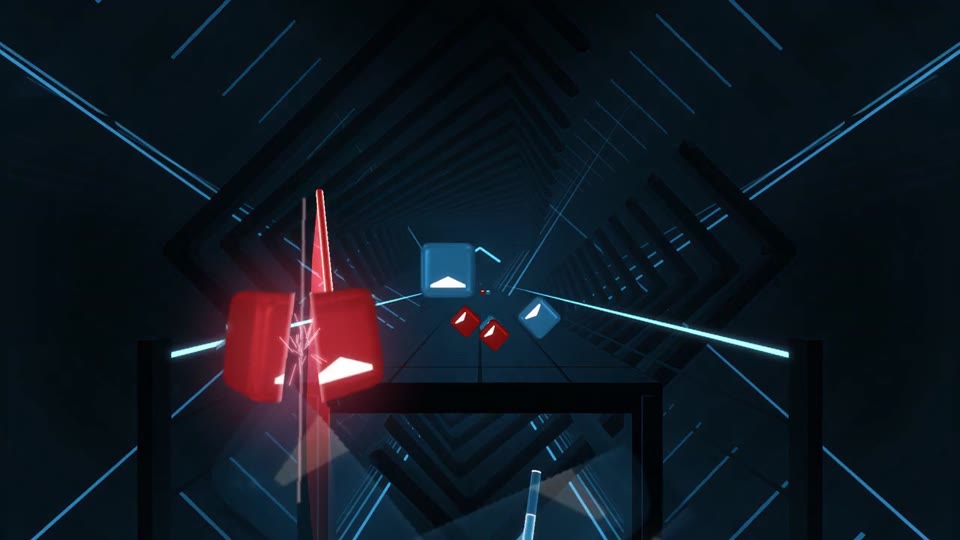
Expert+ (standard level) · 1:05–1:20 of the song. Sabers are a simulated player built from real players' swings.
How do I get this into Beat Saber?
- Beat Saber on Quest only plays custom songs once it is modded. Use ModsBeforeFriday from a computer's browser with the headset plugged in by USB; it patches the game and installs the core mods, including the custom song loader, in a few minutes. Your saved scores and purchases are untouched.
- With the headset still plugged in, open it as a drive on your computer (Windows shows it in Explorer; on Mac use SideQuest). Go to
ModData/com.beatgames.beatsaber/Mods/SongLoader/CustomLevels. - Make a new folder there named after the song and unzip the map into it, so the folder holds
Info.dat, the song audio and the difficulty files directly, not a nested folder. - Start Beat Saber. The song is under Custom Levels with every difficulty from Easy to Expert+. If it doesn't show, restart the game once so the loader rescans.
ModsBeforeFriday, SideQuest and ModAssistant are community tools, not ours. Modding is not supported by Beat Games; it has been the way the community has played custom songs for years, and it can be undone from the same tool.
Any song in your library
Drop in an MP3, OGG, WAV or FLAC. Nothing to prepare, no BPM to look up, no timing to tap out by hand — the track goes in exactly as you have it.
Easy through Expert+, all at once
Every song comes back with all five difficulties in one map. Each is charted for its level rather than thinned out from the same pattern, so Normal reads like Normal and Expert+ earns the name.
Charts that read like a person made them
Patterns that flow, hands that alternate the way they should, and nothing that wrenches your wrists. The maps are judged against human ones before they ever reach you.
Lights, bombs and walls included
A full map, not just a note track — lighting cued to the song, with bombs and obstacles where they belong.
Expert+ goes as high as you want
Easy through Expert sit where the official maps do. Expert+ has a dial: leave it at the standard level, or push it past anything the base game ships for a chart that will actually make you sweat.
Plays like any other custom map
You get a standard map archive. Drop it into CustomLevels and it just works — Quest included, no extra tooling, nothing to convert.
On beat
Timing you can feel
Notes land on the beat the song is actually playing, not a guess at it. Nothing drifts out of time halfway through a track.
Learned
Not rule-based
This is a modern generative AI model of the kind behind today's best music and language tools, trained on charts by thousands of human mappers. It learned what good mapping feels like; nobody wrote it down as rules.
Playable
Never a wrist-breaker
Every map is checked against real human charts for the things that make a map miserable. The ones that fail do not get sent.